
5 Affordable Ways to Produce High‑Quality Music Videos as an Independent Artist (2026)
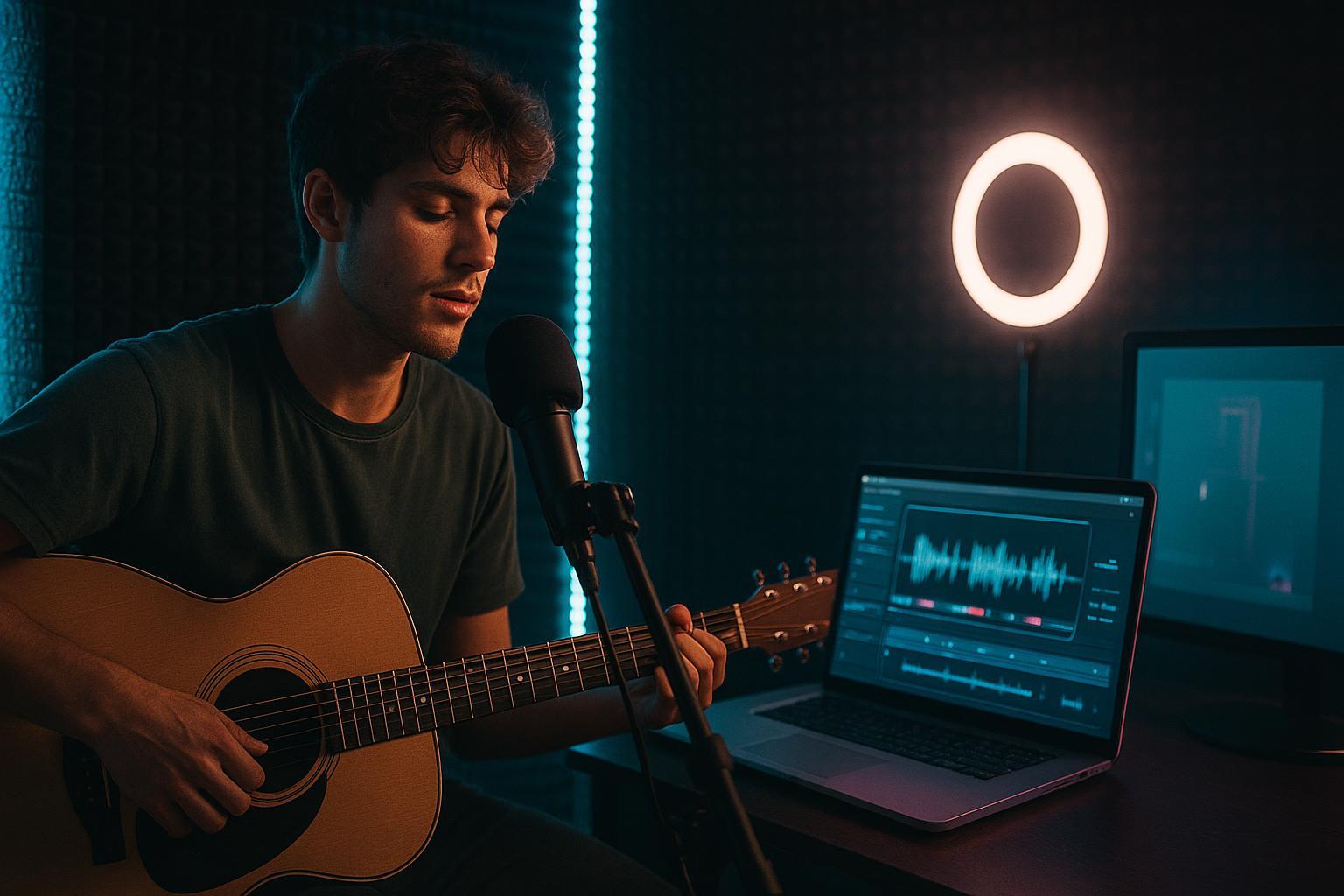
If you’re chasing professional results on a micro budget, you’re not alone. The good news: with smart planning and the right tools, affordable music video production under $100 is absolutely doable—especially for short‑form cuts and tight concepts.
This guide focuses on two winning angles: AI‑first creation that’s lyric‑aware and beat‑synced, and lean crew or freelancer workflows that trim costs without killing quality. You’ll find clear, repeatable mini‑workflows, realistic cost ranges, and notes on rights and exports so you can publish with confidence.
Soft CTA: Want planning templates and prompt examples for under‑$100 videos? See the resource hub at the MVLAND Blog Hub for practical worksheets and guides: MVLAND Blog .
How we chose our methods and what “quality” means here
We evaluated each method against seven criteria with weights to reflect what matters most when budgets are tight:
-
Quality‑per‑dollar (28): perceived production value at ≤ $100
-
Beat and lyric alignment fidelity (18): how reliably changes land on downbeats and hook entries
-
Turnaround speed to first cut (14): minutes or hours to a watchable draft
-
Creative control and style range (14): presets, prompts, story options
-
Learning curve and setup friction (12): time‑to‑first‑success, steps, support
-
Distribution readiness (8): formats for 9:16 and 16:9, captions, rights guidance
-
Reliability and evidence quality (6): stability and presence of third‑party proofs
Testing notes: We emphasize short‑form outputs (30–60s) because they deliver the best quality‑per‑dollar. When tools lacked explicit lyric awareness, we combined generation with beat‑sync editing to improve alignment. Prices and features were checked during Jan–Mar 2026 and are subject to change.
Cost assumptions and pricing notes for affordable music video production
-
Scope for 30–60 seconds per deliverable to stay under $100 and learn quickly.
-
Favor monthly plans or credits that cover multiple short clips; batch work in the same billing period.
-
Keep exports in platform‑native strengths—9:16 for TikTok or IG Reels, 16:9 for YouTube. Add captions for accessibility and watch time.
-
Pricing subject to change. Always confirm the latest plan pages before you buy credits or commit to a subscription.
Quick comparison of the five methods
|
Method |
Deliverable |
Budget (USD) |
Time |
Tools |
Difficulty |
When to choose |
|---|---|---|---|---|---|---|
|
AI‑first lyric and beat aware |
Full MV or short‑form pack |
$20–$80 |
30–180 min |
Runway or Luma plus CapCut or Kaiber |
Medium |
When you want a beat‑synced music video look fast without a shoot |
|
Smartphone performance plus AI |
Performance short or full MV cutdowns |
$0–$30 |
60–240 min |
Phone camera, CapCut |
Easy |
When you can perform on camera and want authentic presence |
|
Lean freelancer micro‑shoot |
30–60s highlight edit |
$50–$100 |
24–72 hrs |
Fiverr editor, optional AI |
Medium |
When you need polish but lack time or skills |
|
Stock and AI hybrid storyboard |
Narrative montage or teaser |
$30–$80 |
2–6 hrs |
Storyblocks, CapCut, AI stylizers |
Medium |
When you want narrative without filming |
|
Visualizers and lyric templates |
On‑brand lyric or visualizer cut |
$12–$50 |
30–120 min |
Template tools or Envato |
Easy |
When you need reliable, on‑tempo motion fast |
Method 1 — AI‑first lyric‑aware and beat‑synced music video generation
If your goal is “high production value without a shoot,” this is usually the fastest path under $100—especially for 30–60 second cuts. The basic idea is to generate multiple short video variations with an AI model, then do the music video part in an editor: choosing the best moments and placing the cuts exactly on downbeats and chorus entries.
Start by picking a tight 30–45 second section around your hook (it’s where viewers decide to keep watching). Write down two or three timestamps you care about—verse start, chorus entry, and one signature fill—so you have concrete moments to hit.
Generate 2–3 variations in a model like Runway or Luma, keeping resolution modest (SD/HD) while you iterate so you don’t burn credits. Then bring the best take into a beat‑aware editor (CapCut works well for many artists; Kaiber also supports beat syncing) and nudge cuts so scene changes land cleanly on the music instead of “near the music.” That one fix is what often separates “cool AI clip” from “music video.”
This method is best when you want rapid Shorts experimentation and you don’t need literal props, actors, or a real location. It’s a weaker fit for live‑action storytelling where you must control exact physical details.
Cost reality check: For a short cut, you can often stay in the $20–$80 range by limiting attempts and keeping early drafts short. Longer durations and higher resolutions can spike credit usage.
Evidence links and examples:
-
Runway’s official help center explains Gen‑4.5 creation and credit use: Runway Gen‑4.5 creation guide .
-
Luma’s current plan options are listed here (pricing can change): Luma pricing page .
Note on lyric and rhythm awareness: Some platforms are designed around music‑driven workflows. For example, MVLAND focuses on lyric and rhythm cues for faster iterations; treat it as one option to test, and validate alignment with your own cut.
Optional reading: If you want a neutral view of how multi‑shot AI video is evolving, see: Kling 3.0 overview .
Method 2 — Smartphone performance with AI backgrounds and effects
A phone‑first performance video is still one of the highest “quality‑per‑dollar” moves you can make, because the viewer gets something AI can’t fake: you . The trick is to treat your phone like a real camera for 30 minutes—stable framing, controlled light, and clean audio playback—then use AI effects only where they help.
Set your phone to 4K at 24/30 fps, lock exposure, and keep your background simple. Record three or four full takes so you can choose the most convincing performance moments (and so you can hide cuts on beats). From there, your editor does the heavy lifting: land changes on the downbeat, add captions that don’t cover faces, and keep the look consistent across the whole clip.
A simple workflow that stays under $30:
-
Tripod + window light or a small LED
-
3–4 takes (same framing)
-
Beat‑based cutting in CapCut (Auto Cut/beat detection)
-
Light background removal or overlays (only if it supports the story)
-
Captions, then export vertical first
This method is best for artists who can perform on camera and want a reliable Shorts/Reels engine. It’s less ideal if your concept depends on heavy VFX or cinematic locations.
Estimated cost: often $0–$30 (for example, one month of CapCut Pro plus a basic tripod if you already own the phone).
Evidence link:
-
CapCut’s plan overview and export feature differences: CapCut Pro vs Standard overview .
Method 3 — Minimal micro‑shoot with a lean freelancer plus AI enhancement
When you want “real footage credibility” but you can’t justify a full crew, a tightly scoped micro‑shoot plus a budget editor is the compromise that often looks the most legitimate to industry folks. The key is to keep the deliverable small (one 30–60 second highlight cut), and to be annoyingly clear about what you’re paying for.
Before you hire anyone, write a one‑page brief: the exact length, two reference links, and 3–5 timestamps the edit must hit (verse start, chorus entry, and any signature beat). This prevents the classic budget killer: multiple revision rounds because the editor guessed wrong.
From there, source a freelancer with relevant examples and a clear base price, cap revisions to one round, and deliver assets/timestamps up front. Once you get the cut back, you can add a final layer of polish yourself—light AI stylizing if it fits your brand, plus captions and platform‑specific exports.
Plan on roughly $60–$100 total for a basic marketplace edit plus any small tool costs, assuming you keep the scope tight.
Evidence link:
-
Fiverr outlines typical editor costs and what affects pricing: Fiverr video editor cost guide .
Soft CTA: If you want a simple way to scope an under‑$100 short (cost math + prompt ideas), the resource hub at the MVLAND Blog has practical worksheets and guides.
Method 4 — Stock and AI hybrid storyboard with no shoot
Stock‑plus‑AI works when you want a narrative vibe but you can’t film anything (or you’re releasing on a deadline). You’re basically directing in the edit: choosing clips that imply a story, timing the transitions to your track, and then using a light stylization pass so the whole thing feels like one world.
The fastest way to do this is to draft a tiny beat sheet for a 30–45 second section—what do we see in the verse, what changes at the chorus, and what’s the final visual “button” that lands with the last beat? Then pull 12–20 stock clips that match the tempo and mood, trim them to on‑beat cuts, and apply one consistent grade or transform so the footage doesn’t feel like a random playlist of stock shots.
Budget is commonly $30–$80 for a month of stock access plus your editing time, depending on the plan you choose.
One rights note that matters: stock licenses cover the video clips , but they don’t clear your music. Treat those as separate checkboxes in your release folder.
Evidence link:
-
Storyblocks explains royalty‑free license scope and updates: Storyblocks individual license update .
Method 5 — Visualizers and lyric videos with audio‑reactive templates
If you need something that’s reliably on‑tempo (and you need it fast), audio‑reactive templates are hard to beat. Think of this as your “consistent release cadence” option: a visualizer, a lyric video, or a looping cut that looks intentional even when you only have an hour.
Pick a template that matches your song’s energy, then customize it enough that it doesn’t scream template—your font choices, color palette, and spacing do most of that work. Import the track, verify that the reactive elements hit downbeats, and then spend your time where it shows: lyric readability, safe areas for 9:16, and clean caption timing.
Budget is typically $12–$50 for a month of a template tool or a single license, depending on provider and export limits.
Evidence link:
-
Envato Elements outlines project‑based commercial licensing for templates: Envato Elements license overview .
Beat and Lyric Alignment Lab — how to self test at home
Here’s a quick rubric you can use to check alignment objectively:
-
Select three moments: verse start, chorus entry, and a signature fill.
-
Place markers on your timeline and count how often visual changes land within one‑tenth of a beat of those moments across your clip.
-
Rate each method on a five‑point scale for alignment consistency, then note the fastest time from audio import to first watchable cut. Track your own scores to see which workflow wins for your music.
FAQ
Can I really make a pro‑looking music video under $100?
-
Yes—scope for 30–60 seconds, focus on a single visual hook, and combine an affordable generator or template plan with a tight edit. Short‑form formats deliver the best perceived value per dollar.
Is smartphone footage enough for YouTube quality?
-
With controlled lighting, stable framing, and clean exports, modern phones deliver sharp results. Prioritize exposure lock, basic color, and lossless transfers before editing.
How do AI tools handle beat and lyric sync?
-
Generators vary on rhythm awareness. You’ll get the most reliable results by combining a model pass with a beat‑detection editor to place cuts on downbeats and chorus entries.
What are the trade‑offs versus hiring a full crew?
-
Crews add creative hands and on‑set control but raise costs quickly. AI‑first and lean workflows trade bespoke shots for speed, iteration, and drastically lower budgets.
Do I need special licenses for stock and templates?
-
Yes. Read the licensing terms for any stock or template plan and ensure your end product and platform are covered. Keep receipts and license details with your project files.
Closing next steps
If you want fast traction on a tight budget, start with one AI‑first short and one smartphone performance cut. Measure watch time and saves on Shorts and Reels, then double down on the method with the best retention. For deeper how‑tos, prompt ideas, and planning worksheets, explore the resources at the MVLAND Blog . And when your concept leans music‑first, consider testing a pass with MVLAND to pressure‑test lyric and rhythm alignment before you spend on a shoot.